Your Gemini usage. In view while you work.
Check your available Gemini usage and reset times without losing your place. Bring the counters reported by your account into TokenKarma alongside the rest of your AI tools.
- Gemini
- Claude
- ChatGPT
- Grok
- Cursor
- Perplexity
- + more
Mac & Windows
Mac: Apple Silicon (M1 or later), macOS 13+. Windows 10/11.
Our tools are trusted by 25,000+ AI heavy users.
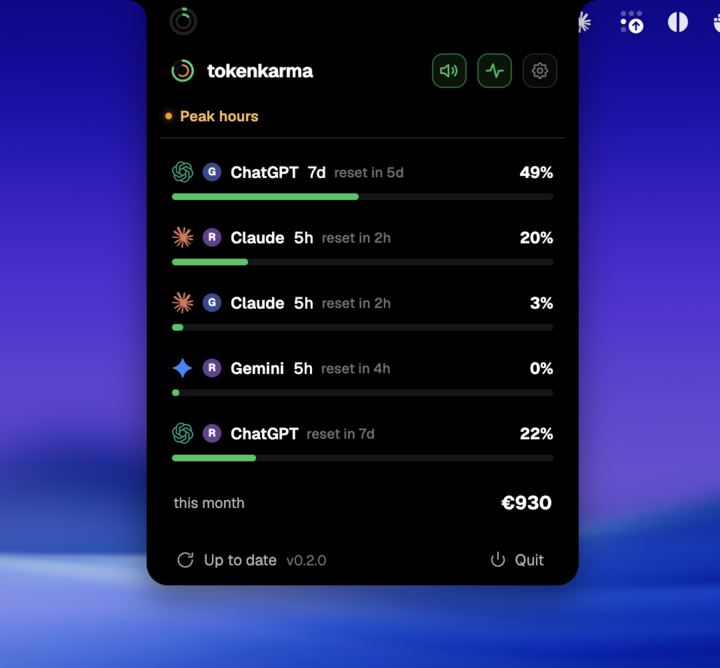
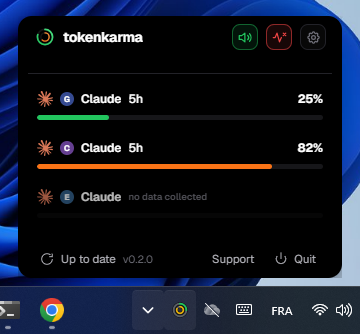
Your accounts. Your limits. Right on your desktop.
How Gemini limits work
Gemini Apps measure compute usage, not a guaranteed number of prompts. Complexity, conversation length, models and features affect consumption.
Gemini Apps with personal Google accounts. Workspace, school, CLI and API access have separate rules.
Buys access to your plan. It does not buy unlimited usage until next month.
Swipe to see the full timeline ↔
Used up after two hours. Why wait until 14:00?
In this example, the whole allowance was spent by 11:00. The five-hour window still ends at 14:00. Paying monthly does not remove this cap.
Five hours describes the reset window, not five guaranteed hours of continuous work. An intensive task can use the allowance much sooner.
Example timeline, not your account usage. Times and consumption are illustrative. *Eligible upgrades or extra usage may offer other options. Use the reset shown in your account.
Is this a rolling window?
A continuously rolling window releases capacity as older activity leaves the lookback period. A scheduled reset refreshes an allowance at a stated time. They are different mechanisms. These illustrations show a reset boundary, not a promise that every message expires individually after five hours or seven days.
What changes with your plan?
| Personal plan | Published relative capacity |
|---|---|
| No Google AI plan | Standard |
| Google AI Plus | 2× standard |
| Google AI Pro | 4× standard |
| Google AI Ultra | 5× or 20× AI Pro, depending on subscription |
Sources: Google Gemini Apps limits
Where to check your current allowance
Open Gemini Settings > Usage. Google describes five-hour refreshes until the weekly limit is reached. Features can have their own restrictions, and access can vary with availability. A context-window size is not a usage allowance.
What you can see in TokenKarma
TokenKarma reads the short-window and weekly percentages returned by Gemini. Some accounts expose only one usable window. It does not turn a percentage into an invented number of remaining prompts.
Keep your connected accounts in view on Mac or Windows. Available features depend on your TokenKarma plan and the data your provider returns.
DownloadFrequently asked questions
Do work and school accounts follow this table?
No. This table covers personal Google accounts. Use your organization’s Gemini guidance for work or school access.
Does a larger plan guarantee a fixed message count?
No. Compute consumption varies by task.
Independent guide, not affiliated with Gemini. Checked against the official sources on September 22, 2026. Your account’s current usage notice takes precedence when limits change.