Your Cursor usage and spend. Out in the open.
Keep an eye on your Cursor usage while you code. TokenKarma brings the usage and billing data available from your connected account together with the rest of your AI stack.
- Cursor
- Claude
- ChatGPT
- Gemini
- Grok
- Perplexity
- + more
Mac & Windows
Mac: Apple Silicon (M1 or later), macOS 13+. Windows 10/11.
Our tools are trusted by 25,000+ AI heavy users.
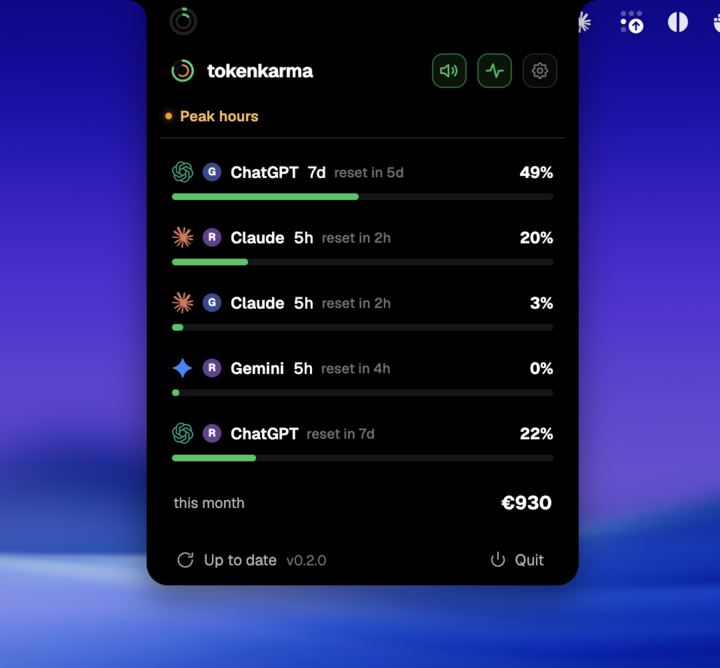
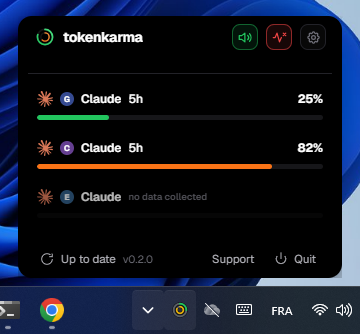
Your accounts. Your limits. Right on your desktop.
How Cursor limits work
Cursor separates included model usage from optional on-demand spend. The model handling a request determines which pool is used.
Current usage-based plans. Legacy request-based plans can follow different rules.
Included usage follows the same billing cycle. Start has only one pool and no on-demand.
Swipe to see the full timeline ↔
The allowance is spent. The subscription is still active.
You can reach the cap before the period ends. Included usage resumes at its reset, not when you pay again.
Here, usage resets with the monthly billing cycle. Additional usage requires on-demand to be enabled. Unused allowance does not roll over.
Example timeline, not your account usage. Times and consumption are illustrative. *Eligible upgrades or extra usage may offer other options. Use the reset shown in your account.
Is this a rolling window?
A continuously rolling window releases capacity as older activity leaves the lookback period. A scheduled reset refreshes an allowance at a stated time. They are different mechanisms. These illustrations show a reset boundary, not a promise that every message expires individually after five hours or seven days.
What changes with your plan?
| Plan or route | Included usage | After the limit |
|---|---|---|
| Pro / Pro+ / Ultra | Cursor Models + Other Models pools | On-demand when enabled, or upgrade |
| Start (India) | Cursor Models pool only | No on-demand; wait for billing-cycle reset |
| Teams / Enterprise | Organization and seat terms apply | Admin spending controls matter |
| Your own API key | Provider bills model usage | Teams/Enterprise may also incur Cursor charges |
Sources: Cursor pools and resets · Cursor Start exceptions · Team seat types
Check the billing cycle, not midnight
The Spending tab shows usage and the reset date. Unused included usage does not roll over. Teams reset on the team billing cycle. Router can use either pool depending on the model selected.
Team seats are not all the same
Standard and Premium seats have different included allowances. Premium includes five times the Standard allowance; administrators can control additional spending.
What you can see in TokenKarma
TokenKarma reads available Cursor usage and billing data. Availability can differ by account and connection. An alert is not a spending cap: manage on-demand controls in Cursor itself.
Keep your connected accounts in view on Mac or Windows. Available features depend on your TokenKarma plan and the data your provider returns.
DownloadFrequently asked questions
Does an exhausted allowance automatically authorize extra billing?
No. On-demand usage must be enabled, and Start does not support it.
Are all Cursor plans counted in requests?
No. Current plans use usage pools; legacy request-based plans can differ.
Independent guide, not affiliated with Cursor. Checked against the official sources on September 22, 2026. Your account’s current usage notice takes precedence when limits change.